Wednesday, February 24, 2010

Predictive Text Input in a Mobile Shopping Assistant: Methods and Interface Design

Written by: Petteri Nurmi, Andreas Forsblom, Patrik Flor´een, Peter Peltonen, Petri Saarikko

The authors put together a shopping list creator that specializes in predictive text and usability. They built a predictive text database and ran a usability test for both one and two handed use. The test showed significant speed improvement was achieved with both hands by using predictive text. Using predictive text improved the input error rate by 80%.

This paper shows that people have not put that much effort into grocery list building apps. I feel that this paper should have compared their database and correctness to other similar applications on the market. This also doesnt feel like a complete research topic to me. All the authors did was put a database together and rank items by frequency of use. Future work should include matching words to pictures and sorting lists by common food groupings. 

Multi-touch Interaction for Robot Control

Written by: Mark Micire, Jill L. Drury, Brenden Keyes, and Holly A. Yanco

The authors designed a multi-touch system for controlling a robot. The controls are detailed in the picture below. They argue that the multi-touch system allows for an infinite amount of control styles with a 2D interface while using a joystick or some sort of hardware controller limits you by the hardware itself. After designing their initial input software the authors ran a series of usability tests. This helped them narrow down how people will naturally use their software for control.


This input style is important as we expand devices we want to control but maintain few controllers. People carry multi-touch devices around with them on a regular basis, and this project helps expand the use of those devices. An iPhone can be used to control most anything because of its multi-touch capability. The biggest problem with touch based systems is the lack of precision. Until we develop more precise finger reading algorithms these types of input devices remain only for devices that don't have to be precise. Future work on this would be to update controls to be more natural and respond intuitively. 

Wednesday, February 17, 2010

Team Analytics: Understanding Teams in the Global Workplace

Written by: Jan H. Pieper, Julia Grace, Stephen Dill at IBM Almaden Research Center

The authors developed a program called "Team Analytics" written in Perl CGI scripts hosted on an Apache 2 webserver. This program displays the people in a world wide work group to the user. The visualization includes a picture of all the team members, a flow chart of who works for who, a pie chart of the distribution of groups, time zones everyone is in, and a "bizcard" that tells what everyone's exact job is. 

This development is quite a big step forward for international people working independently. It tries to tackle some of the biggest problems of working remotely, knowing your group. The fact that it can be launched from an email client really integrates it into a possible everyday use. Future use should probably include quick communication links, like chat or video chat. This seems like a great step in the direction of creating a suite of communication apps for remote location working.

PrintMarmoset: Redesigning the Print Button for Sustainability

Written by: Jun Xiao, Jian Fan

The authors put together a program called PrintMarmoset. The purpose behind this program is to reduce the amount of wasted paper that comes from sloppy web printing. PrintMarmoset allows users to easily erase, blow up, and select data from a website and print while maintaining the ease of use as compared to HP Smart Web Printing. The purpose of the project was to implement Sustainable Interaction Design (SID); to design things taking the environment and waste into account. It turns out that their product was well received and easy to use, saving a large amount of paper compared to commercially available programs.

I feel that this paper sheds light on the computer scientist's obligation to design not only for a good product, but one using SID. I think that a better avenue, as stated in the paper, is to improve digital copies of reading so there is very little waste, but this paper is primarily used to enlighten people to a way of thinking. To expand on this paper's research for the future would probably see continued breakdowns of web pages so that there is virtually no waste in printing when it has to be done.


Tuesday, February 16, 2010

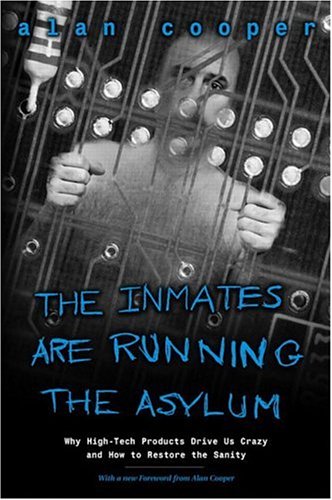
The Inmates Are Running the Asylum (Chapters 1-7)

The author starts the book our by talking about how things are designed. About how different things around us are designed poorly, not that they aren't doing their job, they just allow the users to make more mistakes than if they were designed well. He gives examples including a story of an airplane crash and his alarm clock being difficult to set. He then deviates to a more broad structure of saying that programmers don't understand design and don't care; they just want to put their features into the program and say that the users just aren't tech savvy. His ideas are described via the idea of the dancing bear. A bear doesn't dance amazingly, but it is amazing that it can dance. This is how programs were made in the early 2000s.

I feel that this book is much like Don Norman's book The Design of Everyday Things. The stress of the book is to design things well and make using them intuitive, otherwise people are not actually using the tool to it's fullest, and may not even want to use the tool. I also feel that this has changed in the last 6 years since the book was published. Design is stressed by all professors and we are instructed to create things that people can use easily, not things that just get the job done.

Wednesday, February 10, 2010

Gravity Sphere: Gestural Audio-Tactile Interface for Mobile Music Exploration

Written by: Jaakko Keränen, Janne Bergman, and Jarmo Kauko at the Nokia Research Center

The authors created a program called Gravity Sphere. It is essentially virtual shelves but for only music, using an accelerometer instead of motion sensing, and has limited visual feedback. The first instance created used the Nokia N95 and uses audio feedback for each targeted location to let the user know what they are accessing. If held in one position song samples will play that if chosen the phone will compile a play list. During the first of two tests the team found that their UI was poor and people could not understand how to use the Gravity Sphere properly without instruction. After being shown what Gravity Sphere could do the test subjects were very interested. For the second test the UI was upgraded to have a 3D arrow point in the direction the phone was oriented in the sphere and vibration feedback was given when the phone was moved enough for the phone to react. This setup was rated well and gave the user quicker control over their music than with a visual browser.

This is a great step in advanced control of phone input. Only having buttons on the phone is getting stifling when we have all these other input capabilities. The problem with this software is that sitting while using it would be somewhat awkward and it would take practice to understand exactly what the phone is doing and how it has mapped the music. I would probably continue with this use of the accelerometer but add in the abilities of the virtual sphere to branch this from just music control to a full form kinesthetic phone input style.

Designing Trustworthy Situated Services: an Implicit and Explicit Assessment of Locative Images’ Effect on Trust

Written by: Vassilis Kostakos and Ian Oakley

The authors put together two tests. The first test was to determine whether people associated more with local images than foreign images. The test they developed had people classify pictures as trustworthy or untrustworthy based on the picture being foreign or local. The results, as predicted, were that people associate more with images of local places. The second test was to determine what qualities contribute to a website's perceived trustworthiness. It turns out that the quality of the site was the biggest factor. The authors say that they will use these tests to help develop tactics to create websites that users perceive as secure.


This paper brings up important points on security. People have to be able to trust websites and be able to identify fraudulent ones. This test to me though seems like a usability test. The authors were just gathering research to point in a direction for development practices than toward any real product. The next step that I would take would be to test these designs with phishing websites in a controlled lab to see how well people react when they are not just asked if they trust it, if the information they are entering has a factor as well.